Showing posts with label laser trigger. Show all posts

Saturday, January 21, 2012

Laser trigger for high speed flash photography, post-final

I adjusted the circuit a tiny bit. I added an LED and another potentiometer after ORgate1.  This works really well.  The additional 1 KOhm potentiometer allows for fine tuning of the resistance (and therefore the trigger delay).  The LED prevents current from the DelayCapacitor when it discharges (when the circuit gets reset) from flowing back towards ORgate1.  A regular diode should really be used instead of an LED as voltage drops significantly across an LED (but for my purpose, the LED works and I do not have any regular diode around.)


Description:
  • CircuitResetSwitch:  when the switch is closed, it will cause the DelayCapacitor to discharge quickly to ground, and it will cause XOR_OnOff to output a zero voltage.  The CircuitResetSwitch is implemented with a MOM (momentary) switch.
  • OptoIsolator:  triggers the flash to pop when a trigger voltage is reached, and protects the circuit from a possibly high current from the flash.
  • PhotoResistor:  when a strong source of light (i.e. the laser) hits it, its resistance goes down to 10 Ohms, directing most current to ground.  If the source of light is broken, its resistance goes up to 1 MOhm, directing most current to ORgate1.
Actual implementation:

Breadboard, laser pointer, and lego water dispenser

Components on breadboard

Breadboard on another angle

Breadboard from another angle

Water bodies, part 4

I could not capture a water crown so the next best would be a Budweiser.  I think their commercial has a upside down cap on top of the bottle.

Evaporation

Boring

Group shot

Fist

Single

Waste

Red blob

Peek-a-boo


Thinker
Shark fin

Fizzle

Yum

Dance

Planets in orbit

Refreshing

Grow

Tipped

Explosion

Wednesday, January 18, 2012

Water bodies, part 2

So, I did decide to go back to using my laser setup.  This time around, there were two things I did differently than the last shoot.  For one, I am operating in relatively bright room light, and second, I built a Lego (well, I am using Mega Bloks actually) bridge with a water dispensing head (see below).  The light allows me to see what the heck I am doing and the bridge focuses the water drop in one location so I can break the laser beam most of the time.

Anyhow, I am satisfied that the laser setup works well.  Here are some more photos:

Standard finger

Volcano

Weird slanted projection

Weird crook

Another finger

Tower

My setup with the Lego bridge with the water dispenser, the laser pointer powered by 3 AAA batteries housed inside a digital alarm clock, the laser trigger circuit, and the SB-25 flash gun.

Sunday, January 1, 2012

Water bodies

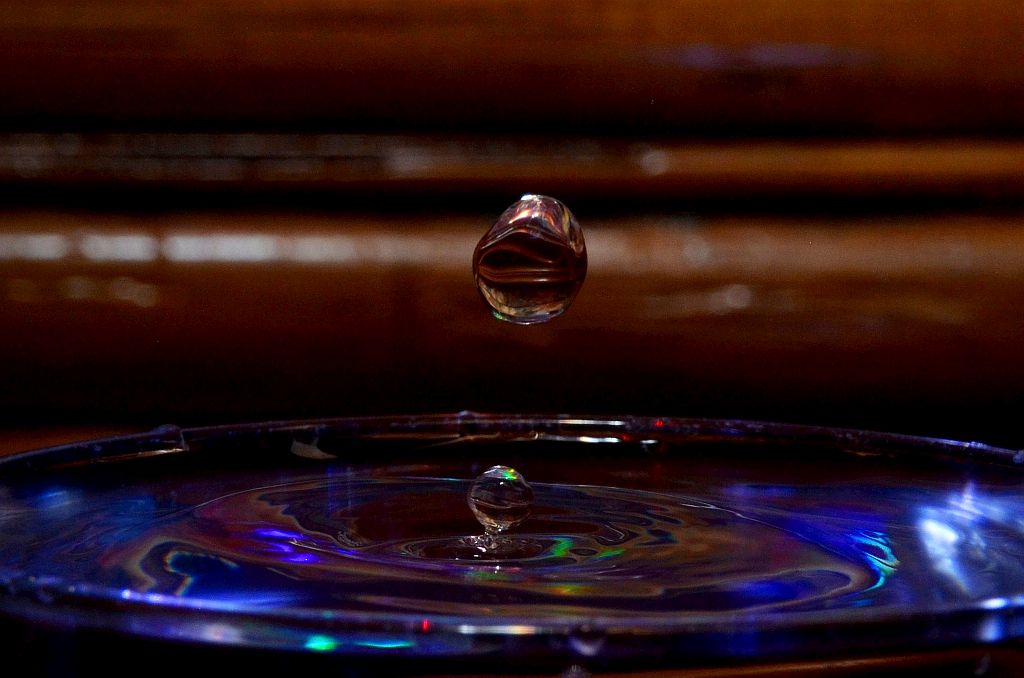
Some high speed flash photos ... these photos were taken with the Nikkor 18-200mm lens at 200mm, f/13, manual focus, about 45cm from the centre of a glass of water (distance from the sensor).  The water drop was from a height of about 40cm, and the resistance of the trimpot was adjusted from 10,000 Ohms to about 7300 Ohms.  The photos were cropped, colour adjusted, and slightly sharpened.

Saturday, December 31, 2011

Laser trigger for high speed flash photography, final

This is probably my final post about the design of the laser trigger circuit.

I was running a number of tests with the design I had a couple of days ago and there were two things that irked me.  After every test, I had to drain the capacitor with the CapacitorDrainSwitch switch and had to turn the main PowerSwitch switch off and back on.  I also think the PowerSwitch on and off switch might be damaging to the IC chips.  Thus, I redesigned the circuit by adding an XOR gate and moving the CapacitorDrainSwitch switch--it is now called CircuitResetSwitch and has two functions.  The XOR gate keeps the power to the circuit on as long as the CircuitResetSwitch switch is not closed.  When the CircuitResetSwitch switch is closed, the XOR gate will turn off voltage (in a digital sense, i.e. pull voltage low) to the circuit and will activate the TransistorSwitch to drain the capacitor at the same time.  So now, after each test, I simply need to press the CircuitResetSwitch and I am ready for the next test.


P.S.  The circuit does not look correct.  The XOR gate will pull the voltage down when the CircuitResetSwitch is closed, so the ORgate1 gate will get a digital input of "0" on the left pin but the right pin has an input of "1" already from the ORgate1Loop loop, so ORgate1 will keep outputing a "1".  What is not shown in the circuit is that the OR gates are powered by a 5V input line.  This input line is controlled by the XOR gate now so effectively, ORgate1 is shut down when the CircuitResetSwitch is closed.  (The XOR gate is powered directly from the main power source.)

Tuesday, December 27, 2011

Couple of high speed flash tests


My first few tests turned out not too bad.  The breadboard was taped on a computer tower.  I had a laser pointer on a mini-tripod on a box about 50cm from the computer tower at the same height.  The laser beam is about 50cm from the floor.  Under the path of the laser beam, I laid a cup I made from the bottom of a water bottle.  I placed the Nikon SB-25 flash gun just to the left and in front of the cup.

I then set the camera to the smallest aperture possible to keep the shutter open for 10 seconds in the semi darkness of my room.  I set the focus to manual.  I could not really focus properly here as the camera sat on the floor.  I think I will move everything on a table so it will be easier to work with.

Anyways, I took a number of shots of a water droplet falling from about 70cm high, cutting through the laser beam.

I started with a wide angle shot, to see where the water droplet would be.  I am still not sure where it was when the flash went off.  What is seen in the photo could have been from an earlier droplet.

I then zoomed into the cup.  The focus was not spot on but I think I can fix this problem if I place everything on a table.

BTW, I tried to use a camcorder to figure out where the droplet would be when the flash goes off.  Of the many water drops, I could see only one in the movie frames.  I guess the camcorder is not fast enough.

P.S.  Except for the photo-resistors from Slovenia, my eBay orders have not arrived yet!!  I wish the flash PC Sync cord has arrived already as my home-made alternative can easily come loose.

Laser trigger for high speed flash photography, part 4

From my first successful test, I realized there needs to be some delay in the circuit.  The flash went off way too fast.  The use of an Arduino microcontroller makes a lot of sense to me, but I thought I'd keep the circuit as simple as possible, so I redesigned it with a capacitor and a potentiometer.  With the new circuit, after each trigger, I have to reset the circuit with the main off-on power switch.  I also added a secondary off-on MOM switch to drain the capacitor quickly as it would take a long time for the capacitor to self-discharge completely.

The idea behind the capacitor is to draw current into the capacitor until the voltage is high enough to trigger the second OR gate.  The delay should be some fraction of the R x C time constant (which in this case is 10,000 (Ohms) x 100 (uF) = 1 second.)  I am not sure what the exact trigger voltage and therefore what the exact time it takes to trigger the second OR gate, but there is some delay now in the circuit.

I added back the loop of the first OR gate.  Without this loop, the capacitor will not have enough time to charge up and the voltage would not then be high enough to trigger the second OR gate.

So, here is the new design:


... and the breadboard:


Note that the trimpot (potentiometer) might as well be a fixed 10KOhm resistor.  I thought I might need to adjust the resistance value but 10KOhm seems about right.

Monday, December 26, 2011

Laser trigger for high speed flash photography, part 3

Success!  I taped over the photo-resistor with a piece of paper to reduce the area of exposure to the laser beam.  Effectively, I reduced the part of the laser beam that matters so that a water droplet could easily break the laser beam.

Also, the ORgate1 loop in the schematic is not needed.  There is no need to keep pulling the voltage high after the initial flash trigger, so I removed the loop.  The flash goes off fine without the loop.

Laser trigger for high speed flash photography, part 2

Well, my first real test with water failed miserably.  I bought a key chain laser pointer from one of those dollar stores.  It costed me $1.40 or something like that for the laser pointer.  I taped the laser pointer onto my tripod and pointed it at the photo-resistor.  When I turned on the circuit, everything behaved as expected.  The LED does not turn on as long as the laser beam hits the photo-resistor.  If I run my finger quickly across the laser beam, the LED turns on and the flash would go off as expected.  The only problem is that when I tried it with water, the water droplet either is too small or falls too quick.  I could see half a flicker on the surface of the photo-resistor where the laser beam, but the half flicker was not sufficient to cause enough of a voltage change to trigger the LED and the flash.

I have to go back to the drawing board now.

Sunday, December 25, 2011

Laser trigger for high speed flash photography

My little pet project:  I wanted to experiment with high speed photography, capturing for example, the moment a water droplet hits the surface of water, so I started researching online for various solutions.  Just look for "Arduino" and "flash".

A few weeks ago, I ordered a number of a electric and electronic components on eBay.  Well, I could no longer wait for the orders I made to arrive.  Only the photo-resistor arrived this past week.  Everything else is still finding its way to my home.  Thus, I went to a local electronic store yesterday to purchase most of the components I needed to build the laser trigger.  The night before though, I had built my circuit on a Logic Gate Simulator (http://www.kolls.net/gatesim/) first but because it did not have the electric components I needed, I then used the Quite Universal Circuit Simulator (QUCS) downloadable for Linux and Windows platforms from http://qucs.sourceforge.net/.  The QUCS simulator still lacked one or two components I wanted to try but it was good enough.  It allowed me to test a few different ideas and see what the results would be--I must say my Grade 11 electrical course was helpful but I really needed a refresher on the basic electrical properties and laws.  The following original design was not exactly what I implemented but was close enough:


With "DC Simulation", I can run a simulation by hitting F2 in the software.  On another page, I created a table that displays voltages at different points on the circuit (where the labels are).

From the simulator, I was confident my design would work so I compiled the list of electric and electronic components from it.  Note that the Arduino is not in the design.  In all other implementations I have seen, an Arduino microcontroller ($30-$40) is used to sample some analog 5V input and generate some output for a brief 100ms or so.  Instead of the Arduino, I decided to use an OR gate ($0.50) and feed its output back into its input so that if a 5V current comes into the OR gate, it will be maintained until I shut down the circuit manually.  (An alternative is to use a timer chip with some resistors and capacitors in combination with some NOT and AND gates to zero out the OR output after some 100ms....)

Anyway, my shopping cart consisted of a HEF4071BP chip (CMOS quad 2-input OR gate), an NTE3041 opto-isolator (with an NPN transistor output), a bag of 1Kohm resistors, a bag of 62Kohm resistors, a bag of five LEDs, one switch, one breadboard, and a 5V power adapter.  Everything was a $1 or less each except for the breadboard ($6.75) and the power adapter ($2).


I ran a test.  When I depress the manual switch, current flows through the circuit.  The LED is only there as visual evidence that current is flowing through the opto-isolator.  That is, if I have the flash gun wired up, the opto-isolator should pass current from the collector to the emitter pin, causing the flash gun to fire.  (BTW, I could have used a PN2222A transistor instead of the opto-isolator but this opto-isolator will protect the circuit from any potentially high current from the flash.)

The photo-resistor has a resistance of 1Mohm in the dark and 10-20Kohm in bright light.  I designed the circuit such that when a laser beam hits the photo-resistor, its resistance goes down to 10 ohms.  Most of the current would then flow to ground.  If the laser beam is broken, the photo-resistor's resistance goes up to 1Mohm and current would then flow to the OR gate.  Once the current hits the OR gate (at 4.7 volts or so), it will raise the OR output to 5V.  The 5V OR output is fed back to the OR input pin, so that even if the laser beam is restored and most of the current flows to ground through the photo-resistor, the OR gate will maintain a 5V input and output.  In the implementation, the 5V output of one OR gate is passed to another OR gate.  The output of the second OR gate is then fed to the opto-isolator.  This is needed because if the output of the first OR gate is passed directly to the opto-isolator, most of the current will flow through the opto-isolator to ground--only 1V would remain, not enough to feed back to the input of the OR gate.

Well, now, I just need to wait for the PC sync cable and the laser pen to arrive, unless there is a local store that carries them ... and it's Christmas day.  The stores must be closed today, or are they?

Merry Christmas!

P.S.  I thought I would redo the circuit design so it comes as close to the actual implementation as possible:


QUCS does not have an opto-isolator so the npn transistor is actually the opto-isolator with npn output.  The FlashPowerSource is the positive cathode of the PC sync port on the flash gun.  It connects to the Collector pin of the opto-isolator.  The negative anode of the PC sync port connects to the Emitter pin of the opto-isolator.  The voltage of the FlashPowerSource was set to 3.7V as per some information I gathered about the Nikon SB-25 that I will be using for this project.

And here are the simulation results after changing the resistance value of the photo-resistor to 1Mohm (i.e. as when the laser beam gets broken): 


Potensic Atom Follow-Me Mode

The Potensic Atom's Follow-Me mode is one of its "intelligent flight" modes.  It's a really nifty feature that uses visual...