Thursday, September 8, 2011

Problems with Picasa images?

What's with your images in your posts, Chris?  Are they from Picasa?

I used to be able to see them but now they come up as this warning image:

Sunday, September 4, 2011

Nikon ViewNX 2 – how it really saves the day

I know Foton has previously shared his experience with Nikon ViewNX 2, but I thought I too will throw in my two cents on the subject after spending the last 2+ hours working with it (yes, I am about to go blind).

So I took the family to Treetop Trekking (http://www.treetoptrekking.com/) on Saturday and snapped about 270 pictures in a mere 2 hours (yes, the commute was longer than the time we spent there).  With my family divided into two teams (my wife and my son gone onto the “bigger kid” course while my little daughter stayed at the kiddie course), I was running in between the two courses and try to keep up with the action.  This is my first time using the D5100 in an environment where snap-action is everything and no time to fuss around with the various controls on the camera.   The high contrast lighting in a wooded area provides another source of challenge for photography.

As I reviewed the pictures in-camera, I realized I would need to call upon the power of photo-editing software to correct some of these challenges. 
Out of the 260 pictures, I had to remove 100 of them due to poor focus (as smart as Nikon’s Autofocus-Area technology is, it messed quite of few the shot by focusing on the wrong area and, given the action nature of the activities, I had no chance but to snap at them and hoping for the best) and poor framing (quite a few of the shots were taken in such haste that I didn’t mange to get the subject in the right places) and modify another 53 to correct over/under-exposure and enhance colour.  Actually the D5100’s Automatic mode did much better than the statistic might suggest as quite a few of the 53 shots were messed up my several attempts to make do with Manual and Aperture Priority modes.


Anyhow, I was really impressed with ViewNX’s ability to enhance pictures.  For those that were “flat”, a simple Colour Boost – Nature did the trick.  For the over-exposed pictures, I was also to salvage them pretty well by a combination of Exposure Compensation, Highlight Protection, and Colour Boost.  The under-exposed pictures were much better once I apply a combination of D-Lighting HS and Shadow Protection.
The interview did take a little getting used to, but I was zipping along once I figured out the following:

  1. Always copy the pictures to the local disk before working with them.  The Class 10 200x SDHC cards are still no match for the 7200 RPM hard disk.
  2. Use keyboard shortcuts to tag picture for batch processing.  I tagged all the pictures with similar problems with a number (simply highlight them and press a number key), then apply the same base settings to them from the filter view (i.e. all the pictures tagged with “1” are the ones need to be treated for over-exposure, “2” are under-exposure, and “9” are bad ones to be deleted).
  3. Simply click and hold on the area where the focus of the picture should be and ViewNX will zoom in to 1:1 and allow easy confirmation on the sharpness of the subject.
With a AMD Phenom II 810 quard-core processor on my desktop, the CPU wasn’t much a problem, but ViewNX is still a 32bit app and it failed to take advantage of my 8GB of RAM (in fact, it ran out of memory 2-3 times in the process and I had to restart the problem to continue).  Nonetheless, I am very happy with considering the price I paid for it.   Most importantly, its ability to read and leverage Nikon-specific tags on the NEF file (Nikon’s Compressed Raw file) did make things a lot easier.
I am sure there are some very nice features I could get if I were to upgrade to Nikon CaptureNX or one of the Adobe products, but this is very good for the purpose of correcting/basic enhancement of pictures.

@Foton – you need to get a faster computer, ViewNX did all the enhancement and file conversion all in a few seconds (5-10 seconds for enhancement, a little longer for file conversions) per file on my desktop. 

Tuesday, August 30, 2011

Exposure, HDR, and Fill-in Flash…

Taking Bryan Peterson’s advice, I have decided to go “manual” on my DSLR as much as possible.  It has been a very interesting learning experience so far (that’s another way of saying I have been pulling my hair trying to understand and experiment how I can get the _shot_ the way I envisioned with my own eyes.

For example, I was trying to take a couple shots of my living room to work on getting familiar with coming up with the correct aperture, shutter speed, and ISO (and hopefully eventually move onto getting the creatively correct combination).

First problem I ran into is getting the right amount of light into my camera so I can get a “correct” exposure.   With ISO set to 100 (yes, Auto-ISO is off), I realized I will need a very slow shutter (1/2 second) and the largest aperture I could to get enough light through.  But a 1/2 second shutter requires a good stable tripod (and pretty much remote trigger) to avoid the fuzziness as the result of camera’s movement during the exposure.  Increasing the ISO to 400 made it possible for me to capture the correct exposure at 1/10 second shutter and f/11 aperture.
DSC_0047
As you can see from the picture above, the side lighting from the street gave the objects plenty of shadow and texture, but perhaps a little too much shadow.  At the same time, the tremendous lighting difference between the object in-door and out-door made it impossible for me to capture both objects in-door and out-door.

Well, almost impossible.  With Nikon D5100’s build-in High Dynamic Range (HDR) imaging capability, I should be able to combine shots with different exposures and get more details out of both the dark and bright areas.  So that’s what I did.
 DSC_0048
Clearly this is an improvement – we can now see a lot of details that wasn’t available before.  Do not despair if you don’t have HDR as part of your camera, auto-exposure bracketing and some post-processing by software (even the lowly Nikon ViewNX2) will give you the same result (or better, some have argued).

At the same time, I can’t help wonder how it would look like if I just use fill-in flash to illuminate the room…  With camera still configured for 1/10, f/11, and ISO 400, I popped the flash and snapped a frame.
DSC_0049
As it turns out, flash did illuminate the room very well and bring out a lot of details inside the room.  The downside is the out-door objects remain over-exposed and I lost a lot of shadow that, in my opinion, really adds to the atmosphere (or the character) to the picture.

What did I learn today?   HDR is a very nice feature to have when you are shooting a composition of great light contrasts.  Flash is okay if you want to “freeze” the moment.

As I am writing this, I realized I have left out two more parameters to experiment: White Balance and lowering the aperture to dampen the effect of the flash (the flash was triggered even though I have already achieve correct exposure with my setting).  Oh well, I guess that would be something to experiment tomorrow.

Monday, August 29, 2011

Experiment about White Balance (and why I hate Windows, the operating system)

Today I decided to play around the effect of white balance in in-door shots, so with ISO set at 400, f/11 and 1/10 shutter, I fired away the following shots:

WB: Shade 
DSC_00505
WB: Cloudy 
DSC_00514
WB: Incandescent 
DSC_00524 
WB: Cool-White Fluorescent (aka Tungsten) 
DSC_00534 
WB: Flash (the actual flash was not used, FYI)
DSC_00544 
WB: Auto
DSC_00564 

As you can see clearly, “Auto” is the winner (with cloudy as the close second) as they both managed to convey the white colour correctly in the pictures.   This is cool, other than I don’t know what “Auto” did behind the scene…  I guess I might have to leave WB as “Auto” unless I have a good reason to override it.  
And yes, I’m sure you are just as curious on what it would have looked if I take those shots with flash on.  So here they are:

WB: Auto (w/ flash)
DSC_00574 
WB: Incandescent (w/ flash)
DSC_00584
WB: Cool-White Fluorescent (w/ flash) 
DSC_00594
WB: Cloudy (w/ flash), and yes he was getting a little annoyed…DSC_00604
WB: Shade (w/ flash)
DSC_00614
WB: Flash (w/ flash)
DSC_00624
Obviously, “Flash” is looking awesome in this case and it’s clear that “Auto” is same as “Flash” in this case (easy logic by the programmer – if flash_is_on, WB = “Flash”).
At the same time, it is noteworthy that “Cloudy” is (yet again) a close second…  Hmmm…  Maybe there is a reason why some people defaults to Cloudy when they don’t want to trust the camera’s own logic for “Auto”.

Why I hate Windows…
As promised, here’s a little rant about Windows…  With the amount of pictures I took for this experiment, there was no way I could remember their respective settings, so I figure I will just look them up from the EXIF info.  Right click on a file, select “Property” and go to the “Detailed” tab.  And voila, there’s my EXIF info.  Or is there…   For reasons I don’t care to investigate, Windows Explorer does not parse those info correctly and many of the fields are showing (mistakenly) blank.   I had to install Nikon’s ViewNX 2 program to be able to retrieve those wonderful EXIF detail (and man, does Nikon do a great job with them or what – it record every single imaginable detail about the camera’s configuration behind that shot).

Sunday, August 28, 2011

From stills to video

Both of my D90 and D7000 can capture video but are they the best tool for it?  I have tried using my D7000 a few times and did not get good results.  The problem is in the auto-focusing system.  I have read that while shooting video, you should not use auto-focus.  Why?  Because the lens' auto-focus system (even with AFS) keeps on hunting every now and then, and it is very loud.  The D7000 picked up clearly the sound of the motor on my Nikkor 18-200mm AFS lens.  So, I shut off the AF system but then, manual focus was a bit tough to use.  Perhaps I should have reduced the aperture.

I was not too impressed with the video capturing capability of the D7000 so for the dragonboat race festival in June, I decided to purchase a used Canon HD Vixia HG20 camcorder.  It used to cost $1000 in 1998.  Today, one should be able to find a used one for $500 or less--talk about the speed of obsolescence vs. price!

When I first used the HG20, I was somewhat disappointed in the movie format.  It saves the video in .m2ts (MPEG-2 Transport Stream) format. I thought Flickr and YouTube do not support this format but from reading a couple of articles, it appears that they do.  I will test that out one of these days.  For now, I use a combination of two software in my workflow to produce video.  First, I use Pixela's ImageMixer 3 SE ver.3 to transfer the m2ts video from the camcorder to my notebook, then use the built-in Video Editor to cut the video.  Second, I use a free software called "Free HD Converter" to convert the .m2ts files into MP4 format.  Here is a sample video converted to 640x480 at 24fps with "Free HD Converter":


(The video is of Chris unpacking his D5100 for the first time.  The D5100 and the two lenses were packed in a black Nikon camera bag.)

This HG20 is what I am planning to take with me on my winter camping trip.  It's got a hard drive so while it is running, it will generate heat, hot enough I hope to keep the battery from freezing up.  I have two batteries so there should be enough for capturing at least a couple of hours, but even if I can get one hour out of them, that would be more than enough.

Saturday, August 27, 2011

My first DSLR rig…

Much thanks to Photon, I was able to get Nikon’s latest hobbyist DSLR camera, D5100, at substantial saving from what I would have to pay for it here in Canada (I shall save my rant about the pricing gouging in Canada for a future blog entry).
The camera comes in a kit with a handsome Nikon bag (that is able to hold the body with one lens with room for another lens, battery, memory cards and filters).  Though it is a nice case, I can’t help to want something more stylish, lower-profile (i.e. not advertising to everyone that I am carrying a DSLR), and more out-door friendly.  After much searching, I went out and got myself a Case Logic SLRC-205 case.


imageimage

This is a real nice case, but it’s not available in Canada (somehow Case Logic decided to exclude Canada from the list of regions that it will market this product), but thanks to B&H and its very affordable custom-clearing service, I was able to get this at a very reasonable price.  It has a nice suspended compartment that will hold the body with its medium size lens, with additional pocket for a second lens (or bottle of water, or sandwich), another one for battery and memory cards, and one for something thin and small.  Essentially, I can fit my entire rig into it.  Smile

In addition to the Nikkor 18-55mm lens that came with the kit, I have also acquired a 55-200mm VR ED IF lens.  Yes, the 55-300mm VR ED IF lens was very tempting, but simply can’t justify paying that kind of money at this time.  Sad smile

And of course I got a UV filter, both as a “protective” filter for the lens and for those occasions where I might hike to somewhere UV is an issue.  Clearly I will need a second battery – nothing sucks more than having a nice camera that stops working because it has no power (and no, I didn’t want to buy generic ones off eBay when I can get the real thing for $34).

imageimage 

So far, all the above were acquired from B&H, with the expensive/heavy stuff ship to Photon’s brother to save on taxes and shipping.

While waiting for the gear to show up, I found out Future Shop (a Canadian national retailer of electronic/computer goods, fully owned by Best Buy) was having a sales on the Duracell SDHC Class-10 16GB cards at $25CAD a-piece, so I grabbed two.  

Then I stumble across another local computer store chain that are clearing out its camera accessories and was able to pick up a Hoya Super HMC Circular Polarizer filter for $38 and a Slik monopod 350 for $30 (yes, the prices are comparable to B&H’s regular price, but I didn’t have to pay shipping to Canada and the custom brokerage)

imageimage 

So you have it, my new DSLR rig.   Hopefully I will have something worthwhile to share with you in the near future.

Winter camping

Last night, I had a brief chat with a friend over winter camping.  It looks like we are going to head out into the cold of Ontario winters this coming winter.  I started now to think how I am going to shoot our first time experience in the wilderness of Ontario at -20C.  I have taken my D80 out in the dire cold before but only for a couple of hours.  How will my D7000 or D90 fare in -20C temperatures?  I kinda like to do lapse photography, setting up the D7000 on a tripod and have it fire away every minute or so.  I need some way of protecting them from the elements.  I will also like to bring a camcorder, which has never been stress-tested this way before.  I will jot some notes down on this blog from time to time as I build my list of things to do and things to bring.  For one thing, I will surely bring my new GPS unit along so we will know exactly where the photos were taken.

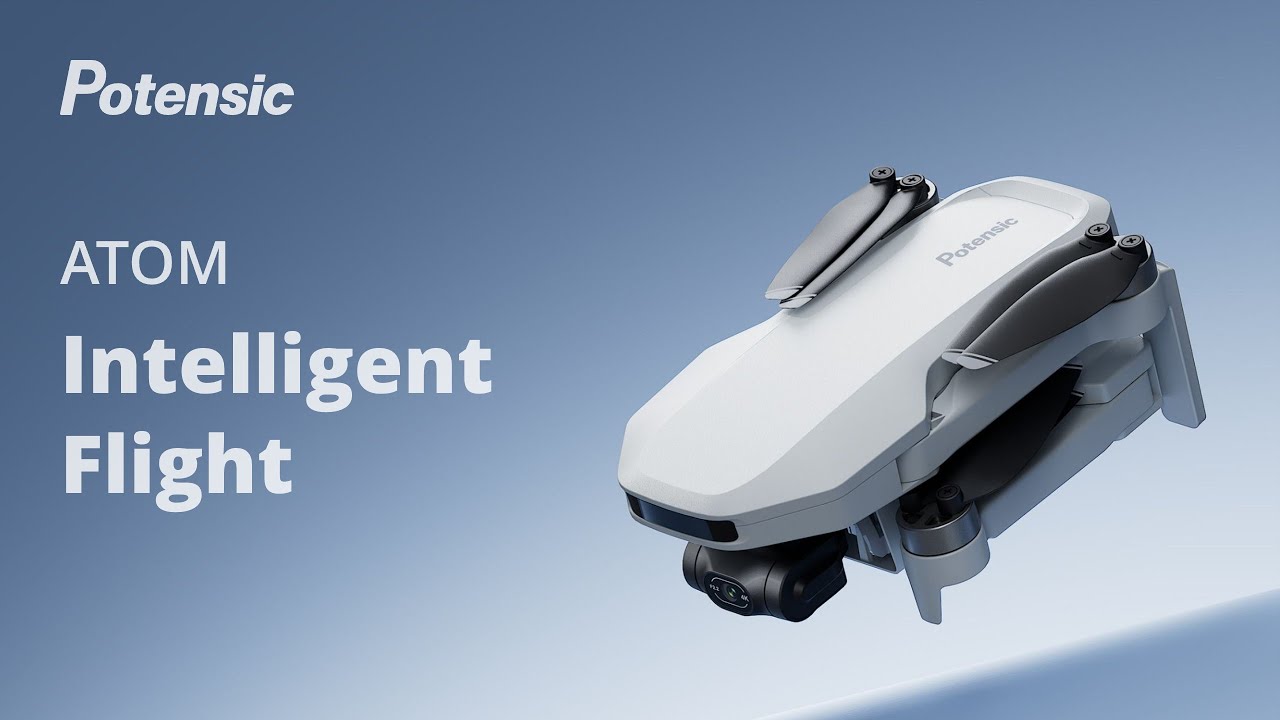
Potensic Atom Follow-Me Mode

The Potensic Atom's Follow-Me mode is one of its "intelligent flight" modes.  It's a really nifty feature that uses visual...