Nikon recently released a new firmware version 1.02 for the D7000. I just did the upgrade. It was quick and painless as usual. As with every firmware upgrade however, they always leave something to be desired. When I was using the D80, I wished they could have increased the delay timer after the shutter opens before the camera takes a picture from I think 0.4 seconds to a variable number. I believe Nikon said they would not do that. Now, with the D7000, I wished they could increase the auto exposure bracketing from 3 to 5 or 7 or 9. It's just a number! I believe Nikon is crippling the feature on purpose so consumers have to purchase a D300 (which I sold) or a D300s to get more professional-like features
Anyway, the firmware upgrade can be downloaded from Nikon Support.
Tuesday, May 31, 2011


Monday, May 30, 2011
Panasonic Lumix DMC-FZ30 in the field
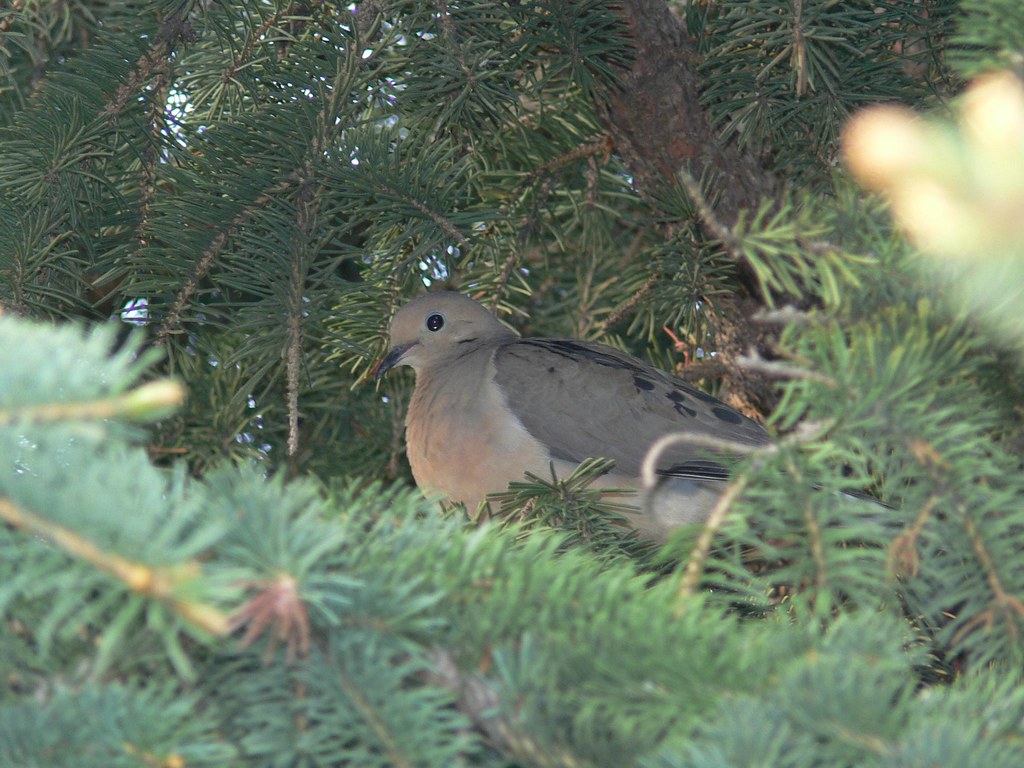
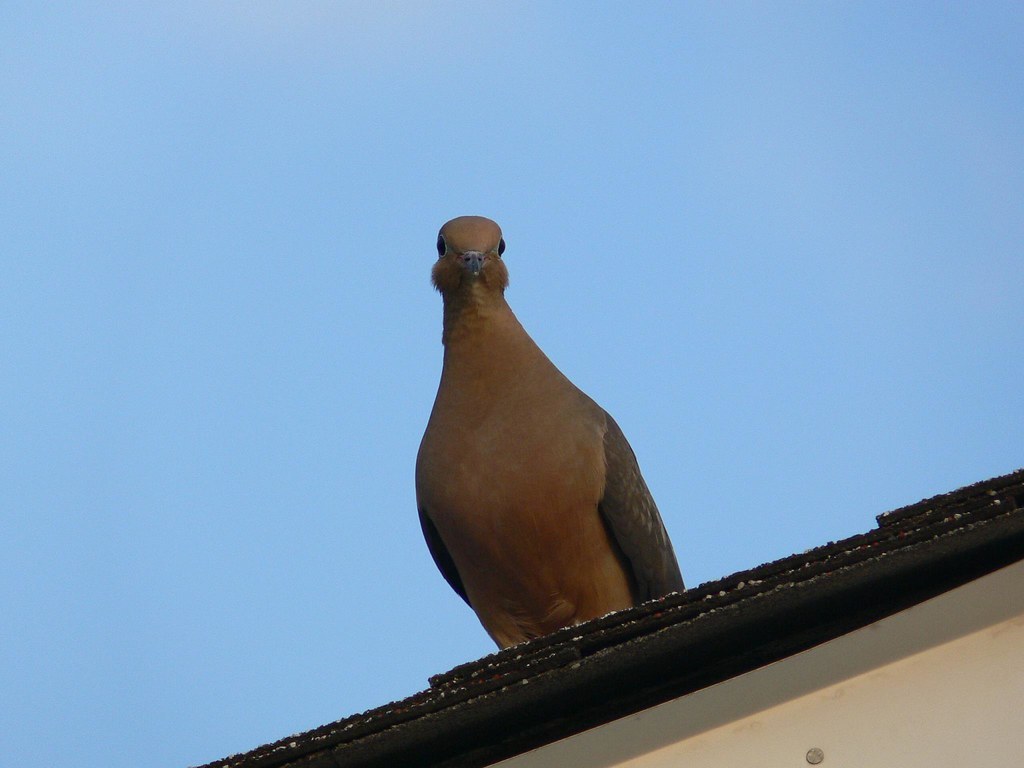
Here are the first few shots I took with this camera. One thing I noticed immediately is how much lighter it is than the D7000--a good thing I guess. The second thing I noticed is how weird it is to use an electronic viewfinder. The third thing I noticed is how annoying it is to take a picture and not be able to view it immediately after with the push of a button--you have to dial to the preview mode before you can review any photo. The fourth thing is, the photos are sharp when the camera locks on its subject. Lastly, and this is to confirm many complaints, is that it is a bit noisy but it's really not all that bad during the day. There is enough light to fill every pixel with a vast amount of light, except in deep shadows.
The following photos were unprocessed, except that they have been resized (I uploaded them to Flickr) so you don't really get to see 100% of the pixels.


The following photos were unprocessed, except that they have been resized (I uploaded them to Flickr) so you don't really get to see 100% of the pixels.




Sunday, May 29, 2011
Panasonic Lumix DMC-FZ30

Well, I just purchased a used Panasonic DMC-FZ30 "bridge" camera. Why would I do that, you might ask, given that I already have a Nikon D7000 and a bunch of lens and gears that come with DSLR's. Well, I decided that the 35-420mm (35mm equivalent) superzoom lens of the DMC-FZ30 would be great for camping and the everyday photography I cannot do with my old Canon Powershot SD110. My DSLR gears are a bit heavy for the sort of camping I like to do and the Canon is just not far reaching enough for the normal daily needs and my Canon batteries are nearly dead. This "bridge" camera will do well for most of my camping purposes and will serve well in my daily trips into and out of Toronto.
Some nice features of the DMC-FZ30 that I like are:
- the 12x zooming happens internally inside the lens barrel, so the lens does not extend in and out
- optical image stabilization
- the camera with the lens is lighter than the D7000 alone
- it handles a bit like a DSLR and has a dial mode for aperture-priority along with the other modes found in DSLR's
- supports an external flash (I wonder if any of my flash guns will work with it)
Now, this camera is not the best camera you can find. The main problem that many people have raised is the picture quality in low light conditions--it can get noisy. Well, it's not going to be much of a problem for me. I am basically replacing my other point-and-shoot with this so it is a step up any way I look at it. Also, it was dirt cheap. I picked it up for $65 with a UV lens filter and two batteries--the camera used to be $700 six years ago. For what it can do and for the price I paid for, I think it's worth every penny I spent.
Monday, May 23, 2011
Nikon D5100
Wow, not even a year since I bought the D7000, Nikon came out with the D5100. Well, it is not meant to replace the D7000 but heck, it is one nice camera, with an articulate LCD, 1080p video at 30 fps, and a built-in HDR rendition. If these features were added to the D7000, the D7000 would be the ultimate camera to date.
Anyone looking to buy a D5100 or a D3100, there is a special going on at Best Buy's. Save $50 on a D3100 and D5100 package. It's the best price I have seen in Toronto. Sale ends May 26, 2011! (BTW, I do not work for Best Buy's.)
Anyone looking to buy a D5100 or a D3100, there is a special going on at Best Buy's. Save $50 on a D3100 and D5100 package. It's the best price I have seen in Toronto. Sale ends May 26, 2011! (BTW, I do not work for Best Buy's.)
Sunday, May 22, 2011
Quick Strap, in the field
A couple of weekends ago, I had the opportunity to test out this Quick Strap for the first time. A day out at Point Pelee was a good field test of the strap.
For the day, I brought my backpack to carry an extra lens, water and some snacks. The strap would go over my shoulder after the backpack. Well, the strap does what it claims to do. The camera dangles by the right side of my waist, pointing back or pointing down toward the ground, depending on where the metal plate of the Quick Strap system is. Since my heavy 80-400mm has a tripod mount, I decided to move the metal plate from the bottom of the vertical grip of the D7000 to the lens' tripod mount. Connected this way, the camera tends to point back, which makes it easier for me to find the grip of the camera when I need to shoot--my right hand is always in close contact with the camera.
How does it feel? I always felt the camera was secured safely. In the past, I would either throw the Nikon strap around my neck or over my left shoulder. Over a short period, my neck would feel stiff. There is a physical discomfort about it. If the Nikon strap is worn over the left shoulder, the strap tends to slide off my shoulder. There is a mental discomfort here, always having to re-adjust the strap every now and then.
With the Quick Strap, the wide padded strap that goes over my left shoulder was painless. I did not feel the physical discomfort that the normal Nikon strap has on my neck or the mental discomfort that my camera might drop to the floor. I hiked around the entire day feeling good but tired from the hike.
Now, what about the "Quick"ness of it? It does what it is designed to do. The silky, smooth texture of the strap allows for the quick sliding of camera up and down the strap. It works great. My only beef about the strap is that it tends to twist upon itself. If the strap material is a bit stiffer, it probably would not twist upon itself as easily. I kept on having to untwist the strap.
My rating is an 8/10.
For the day, I brought my backpack to carry an extra lens, water and some snacks. The strap would go over my shoulder after the backpack. Well, the strap does what it claims to do. The camera dangles by the right side of my waist, pointing back or pointing down toward the ground, depending on where the metal plate of the Quick Strap system is. Since my heavy 80-400mm has a tripod mount, I decided to move the metal plate from the bottom of the vertical grip of the D7000 to the lens' tripod mount. Connected this way, the camera tends to point back, which makes it easier for me to find the grip of the camera when I need to shoot--my right hand is always in close contact with the camera.
How does it feel? I always felt the camera was secured safely. In the past, I would either throw the Nikon strap around my neck or over my left shoulder. Over a short period, my neck would feel stiff. There is a physical discomfort about it. If the Nikon strap is worn over the left shoulder, the strap tends to slide off my shoulder. There is a mental discomfort here, always having to re-adjust the strap every now and then.
With the Quick Strap, the wide padded strap that goes over my left shoulder was painless. I did not feel the physical discomfort that the normal Nikon strap has on my neck or the mental discomfort that my camera might drop to the floor. I hiked around the entire day feeling good but tired from the hike.
Now, what about the "Quick"ness of it? It does what it is designed to do. The silky, smooth texture of the strap allows for the quick sliding of camera up and down the strap. It works great. My only beef about the strap is that it tends to twist upon itself. If the strap material is a bit stiffer, it probably would not twist upon itself as easily. I kept on having to untwist the strap.
My rating is an 8/10.
Sunday, March 20, 2011
Quick Strap
The Quick Strap I ordered from China five weeks has finally arrived. It came with a metal plate that screws into the camera tripod mount. The metal plate is quite thick (I think 2mm thick), although a bit sharp--they should round off or sand off all the edges. The metal plate then connects to the strap via a carabiner. (The connection is not where the tripod mount is but rather, on the end of the metal plate, close to the left side of the camera.) The carabiner has a screw lock that prevents the swinging arm from moving. Here, quality is not great either. The screw lock is a bit rough to turn. Well, for $20, you get what you pay for. I don't own a Rapid Strap but I'm sure the Rapid Strap is better built than this but the Quick Strap will serve my purpose well.
After some length adjustments of the strap I have now a new way of carrying my camera around. Like I said, I don't like the Nikon strap. It gets in the way of handling the camera. This Quick Strap is better, but it needs some more design work.
After some length adjustments of the strap I have now a new way of carrying my camera around. Like I said, I don't like the Nikon strap. It gets in the way of handling the camera. This Quick Strap is better, but it needs some more design work.
Sunday, March 13, 2011
Cleaning the print head of the Epson Stylus 1280
The following is from a website at http://www.retouchpro.com/forums/hardware/7324-problem-getting-quality-prints.html
The original article came from http://www.inkjetmall.com/store/cone_ts/cleaning.htm
I am quoting it here just in case the website goes down:
The original article came from http://www.inkjetmall.com/store/cone_ts/cleaning.htm
I am quoting it here just in case the website goes down:
DRIPS OF EXCESS INK ON THE PAPER DURING PRINTING
(cleaning the underside of the printhead, printhead cap)
In general, paper dust and lint accumulate on the bottom of the print head and in the print head cap.
NOTE: Paper towels are made with many levels of quality. Some really fall apart when wet and this type is not recommended. There are many possible substitutions here, for example, you could use photo wipes, lint free cloths etc. We tend to have rolls of paper towels available next to the printer, and an ink sogged paper towel can be thrown away easily. Use common sense, and what ever material you think best. Some people have reported success using a foam paint stick to scrub under the print head, and these can be cleaned after use. Use your ingenuity.
PROCEDURE - TO CLEAN OFF THE BOTTOM OF THE PRINT HEAD
SMALLER DESKTOP PRINTERS (760, 800, 850, 860, 1160, 1200 ETC.)
1 - Press paper button for 4 seconds, the print head should be to the left.
Note: Some printers have a special button for this purpose.
2 - Pull power cord
3 - Tear paper towel in 1/2. (A full sheet is too thick when folded).
4 - Fold paper towel and lay it in the black plastic channel below where the print head travels back and forth.
5 - Work the print head up over the paper towel (We are doing this on a dry paper towel so we can get the print head over it about an inch or two.)
6 - When the print head is up on the paper towel, squirt some Windex on the paper towel, and then move the printhead back and forth to scrub off the bottom.
7 - Move the print head off the towel, pull the towel up and get everything cleaned up.
8 - Push the print head over to the right parked position.
9 - Plug in the printer and turn it on.
10 - Print the nozzle check and do a couple cleaning cycles as required to get any paper towel fibers off the bottom of the print head. They clean right up - and are worth it because you have removed any large buildups from the bottom of the print head.
Subscribe to:
Posts (Atom)
Potensic Atom Follow-Me Mode
The Potensic Atom's Follow-Me mode is one of its "intelligent flight" modes. It's a really nifty feature that uses visual...

-
A local Zellers store is having liquidation sales of everything in the store. I was browsing through some electronics the other day--not pl...
-
So I decided that I will do an experiment. I will offer a few free photography shoots in my area for small events. I will see if the quali...
-
 I am starting to get used to shoot with a 50mm alone. For a long time, I have always trusted my Nikkor 18-200mm f/3.5-5.6 VR lens. I would...